
Table of Contents
The invisible cost of manual quality management
Sofia is a quality manager at a 45-person food company. Every week she spends time updating records in Excel, sending emails reminding managers to close their corrective actions, searching for the correct version of a procedure in four Drive folders, and preparing the monthly report by copying data from three different files.
None of these tasks require your professional judgment. They all require your time.
If you add that work up week by week, the result is usually around 6 to 10 hours a week – time that could be spent analyzing trends, preparing for audits or improving processes. That’s the real cost of quality management done manually through spreadsheets and emails: it’s not just inefficiency, it’s lost professional opportunity and strategic value.

Where are those 8 hours a week hiding
Before talking about solutions, it’s worth being precise about the problem. Manual hours in quality management do not appear all together – they are distributed in micro-tasks that seem small but accumulate.
| Manual task | Typical weekly time | The actual problem |
|---|---|---|
| Update records in Excel (NC, CA, indicators) | 1.5 – 2 h | Scattered data, no traceability |
| Search for current documents between versions | 30 – 60 min | No centralized version control |
| Send action closure reminders | 45 – 60 min | Follow-up by mail, no visibility |
| Prepare monthly indicator report | 1.5 – 2 h | Copy and paste from multiple sources |
| Coordinate and document internal audits | 1 – 1.5 h | No structured flow, all by mail |
| Manage due dates (calibration, training) | 30 – 45 min | No automatic alerts |
Estimated total: 6 – 8 hours per week
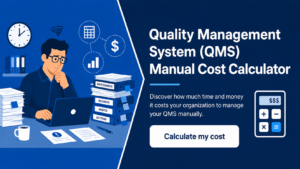
This number varies depending on the size of the company and the complexity of the QMS. If you want to calculate the real cost in your specific case, the QMS Manual Management Cost tool gives you an estimate in less than 5 minutes, with the value in hours and money.
Reference: Studies on administrative efficiency in management systems document that between 30% and 40% of the quality manager’s time in SMEs is spent on repetitive administrative tasks with no analytical value (ASQ – American Society for Quality, Quality Management research, 2022).
Which quality management tasks can and cannot be automated
This point is important because there is a tendency to over-promise what automation can do. Being honest here avoids frustration.
Yes, you can automate
- Alerts and reminders: document expirations, corrective action deadlines, scheduled calibrations, pending training.
- Document approval flows: when someone uploads a new version of a procedure, the system notifies the approver and records the signature. No mail back and forth.
- Registration of non-conformities and actions: standardized forms are automatically saved with date, responsible and status.
- Indicator reports: if data is entered in one place, the report generates itself. No copy and paste.
- Internal audit follow-up: plan, findings, follow-up actions and closure in a continuous flow, without reconstructing the history each time.
Cannot (and should not) be automated.
- Root cause analysis: requires human judgment. A system can facilitate recording, but it cannot do the thinking for you.
- Decisions about what is or is not a nonconformance: that depends on the context, the magnitude and the judgment of the person responsible.
- Management review: data can be presented automatically, but interpretation and decisions are up to people.
- Quality culture: no tool replaces the commitment of the teams.
Automation does not do quality work – it frees up time for quality work to be done well.

How to automate without breaking what already works
The most common mistake when automating a QMS is to try to change everything at the same time. What results is that the team resists, processes are interrupted and in the end you go back to business as usual Excel.
A more sustainable approach has four steps:
Step 1: Map first, automate later Before changing any tools, document how the process works today. What steps are there? Who does what? Where are the bottlenecks? Automating a poorly designed process only accelerates chaos.

Step 2: Start with the most painful process Don’t try to centralize the entire QMS into one week. Pick the most time-consuming or error-prone process – usually document control or corrective action tracking – and start there.
Step 3: Migrate data gradually You don’t need to migrate five years of historical records to get up and running. Start with the active records for the current period. The history can be viewed in the old system while the new system accumulates data.
Step 4: Measure before and after Define a simple indicator: weekly hours spent on QMS administrative tasks. Measure it before the change and three months after. This data justifies the investment to management better than any qualitative argument.
If you want to see how this works in practice before committing to a tool, you can schedule a demo of QualityWeb 360 – no sales pressure, just to see if it solves your specific problem.
What changes when you automate quality management and ditch spreadsheets
It’s not just about saving time. There are qualitative changes that impact how the QMS operates in practice.
Real traceability When an external auditor asks “who approved this procedure and when?”, the answer is in the system at the click of a button. You don’t have to reconstruct the story by reviewing emails from six months ago.
Visibility of system status Instead of learning that a corrective action has gone unclosed for three months when it’s too late, the system displays the status in real time. Traffic lights replace manual follow-ups.
Less dependence on key people When the QMS lives in the head or computer of a single person, any absence creates chaos. A centralized system makes the knowledge of the process, not the individual.
Faster internal audits With the history of records, findings and actions in one place, preparing and executing an audit takes less time and produces more reliable results. The auditor can review evidence without relying on someone to send it to him or her.
Self-generated reports The monthly indicator report is no longer a half-day project and becomes something you refer to when you need it.
Errors when automating a QMS in an SME
1. Buying a tool before understanding the problem The right tool depends on your processes, your team and your volume. Buying software without having mapped the actual process is like buying furniture before measuring the room.
2. Wanting to automate everything from day one We’ve already mentioned it, but it bears repeating: gradual implementation is more likely to succeed than the “big bang”. One change at a time, with time for the team to adapt.
3. Not involving end users The quality manager is not the only one who uses the QMS. Production, purchasing, maintenance – all interact with the system in some way. If they don’t participate in the design, they won’t use it.
4. Ignore resistance to change “That’s the way we’ve always done it” is the most expensive phrase in any implementation. Resistance is not overcome by imposition – it is overcome by demonstrating that the new process makes life easier for them, not just for quality.
5. Not having a backup plan during the transition During the first few weeks of any migration, processes are slower. Plan for that – don’t abandon the old system until the new one is operating smoothly.
Frequently Asked Questions
How long does it take to implement a QMS tool in an SME?
It depends on the scope and the current state of the system. For an SME with a basic QMS, a phased implementation – starting with one or two modules – can be operational in 2 to 4 weeks. A full implementation usually takes 1 to 3 months, depending on the complexity and pace of adoption by the team.
Can the QMS be automated without losing ISO 9001 compliance?
Yes. The standard does not require any specific tool – it requires that documented information be controlled, available and protected. A well-configured digital tool meets these requirements better than a Drive folder system, as long as version control and approval records are maintained.
What happens if the team does not adopt the tool?
Adoption is not a technical problem – it is a process design and communication problem. The tools that fail are often those that were implemented without involving the users or without a clear reason why the change benefits them. The solution is not to insist – it is to review whether the process is well designed and whether the tool actually facilitates the work of those who use it.
Is automating the QMS only for large companies?
No. SMEs benefit the most, precisely because they do not have a large quality team. When there is only one person responsible for the QMS, automating repetitive tasks frees up a much larger proportion of his or her time than in a company with an entire department.
How much does it cost to automate the QMS of an SME?
The range is wide. There are specialized QMS tools ranging from hundreds to thousands of dollars per year, depending on the number of users and modules. What is relevant is to compare that cost against the actual cost of manual management – in staff hours, errors and risk of audit non-conformance. The QMS Manual Management Cost tool helps you make that calculation before you decide.
The next step
If you’ve been managing your QMS in Excel and Google Drive for months (or years), you probably already know how much time goes on tasks that don’t add real value. The question isn’t whether it makes sense to tidy up the system – it’s when and how to do it without disrupting the operation.
The first step is to know exactly how much manual management is costing you today.
→ Calculate how many hours you are wasting with your manual QMS – free, in less than 5 minutes, with immediate results.
And if you want to see what your centralized QMS would look like before you commit to anything, you can view a demo of QualityWeb 360 anytime.